Many smartphone users searching for Why You Lose Banking Services after a SIM replacement or eSIM transfer often think their mobile network or banking apps have stopped working. However, the temporary restriction actually works as a security protection system designed to prevent fraud and unauthorized banking access. Additionally, the rule affects OTP delivery, UPI verification, banking alerts, and SMS-based authentication for nearly 24 hours after a SIM swap or eSIM activation.
The latest Why You Lose Banking Services issue has gained attention because more users are shifting toward eSIM technology and replacing damaged SIM cards. Consequently, many people suddenly lose access to banking apps, online payments, and transaction alerts without understanding the reason behind the restriction.
Why Banks And Telecom Operators Block Services
The temporary service interruption exists mainly to stop SIM swap fraud. In this scam, cybercriminals illegally obtain duplicate SIM cards linked to someone else’s mobile number. As a result, attackers may receive banking OTPs, bypass verification systems, and access financial accounts.
Therefore, telecom operators in India automatically block incoming and outgoing SMS services for around 24 hours after:
- SIM replacement
- SIM swap
- eSIM transfer
- New SIM activation
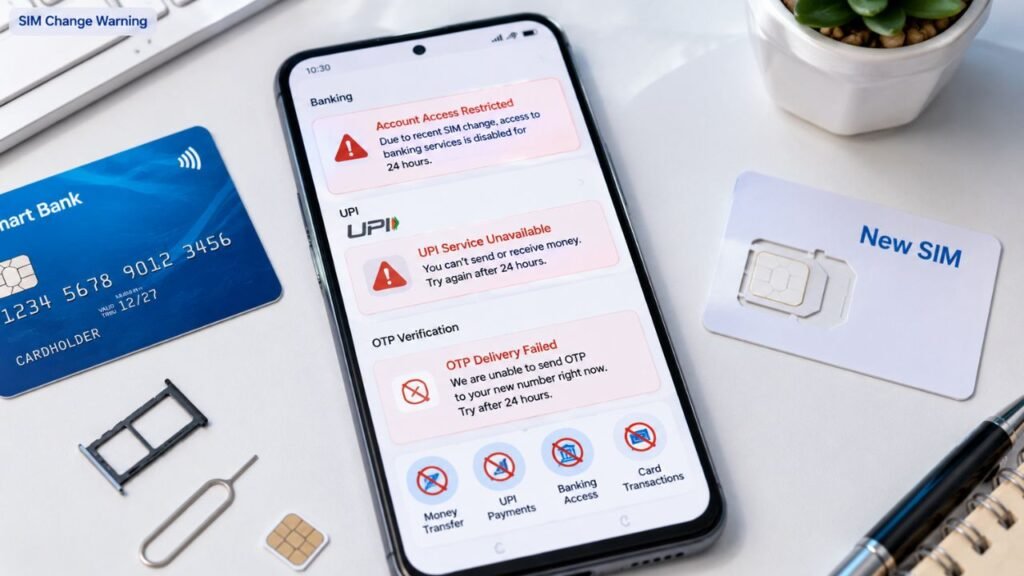
Because most banking systems depend heavily on SMS verification, several digital services stop working during this period.
What Stops Working After SIM Change
The Why You Lose Banking Services problem affects multiple digital banking tools and financial platforms simultaneously.
Services Commonly Affected
| Service | Temporary Impact |
| UPI Apps | Verification Failure |
| Banking OTPs | SMS Delayed Or Blocked |
| Transaction Alerts | Not Received |
| Credit Card OTPs | Temporarily Disabled |
| Net Banking Login | OTP Issues |
Additionally, popular UPI applications such as Google Pay, PhonePe, Paytm, and BHIM may stop functioning because they require SMS-based number verification during login and activation.
Android Auto Music Apps Get Massive Redesign As Spotify And YouTube Music Receive Smarter Updates
Why OTPs Stop Arriving Temporarily
OTP authentication systems rely on active SMS communication between telecom operators and banking servers. However, the temporary security lock prevents SMS transmission after a SIM change.
Consequently, users may face:
- Failed payment authentication
- Delayed banking login approvals
- Inability to activate UPI apps
- Missing debit and credit alerts
Because of these restrictions, many users mistakenly believe their bank account or SIM network has malfunctioned.
UPI Apps Need Reverification After 24 Hours
Once the 24-hour restriction ends, most UPI apps start working normally again. However, users usually need to complete device verification one more time.
Steps To Restore UPI Services
- Open the UPI application
- Verify the registered mobile number
- Allow SMS permissions
- Complete device authentication
- Re-enter UPI PIN if required
After verification finishes successfully, payment services generally resume immediately.
eSIM Transfers Also Trigger Security Restrictions
The Why You Lose Banking Services issue does not affect only physical SIM swaps. eSIM transfers also activate the same security protocol because telecom providers treat eSIM migration as a SIM replacement event.
Additionally, smartphone users upgrading devices often experience the restriction after moving eSIM profiles between iPhones or Android devices.
Because eSIM adoption continues increasing rapidly in 2026, more users are now encountering temporary banking disruptions during device upgrades.
How Users Can Avoid Problems During SIM Changes
Users can reduce inconvenience by planning SIM replacements carefully before important financial transactions.
Safety Tips Before SIM Swap
- Avoid changing SIM before urgent payments
- Complete banking tasks beforehand
- Keep alternate payment methods ready
- Enable email banking alerts if available
- Inform family members if OTP delays occur
Moreover, users should remain alert because real SIM swap fraud cases continue increasing worldwide.
New USCIS Guidance On Green Card Creates Uncertainty For Indian H-1B And F-1 Applicants
Security Rule Protects Users From Financial Fraud
Although the temporary restriction feels frustrating, the security system helps reduce unauthorized banking access and financial theft. Because cybercriminals increasingly target mobile verification systems, telecom operators and banks continue strengthening fraud prevention measures.
As digital payments and UPI usage grow rapidly across India, temporary SMS restrictions after SIM changes may remain an important security feature for banking safety.